Drop in the whole file
Hand it a 200-page deposition, a full patient chart, a contract, an intake packet. PDFs, markdown, CSVs, spreadsheets — LocalChat reads the whole thing on your Mac, no copy-paste.
PDFMDCSVXLSXPNGTXT
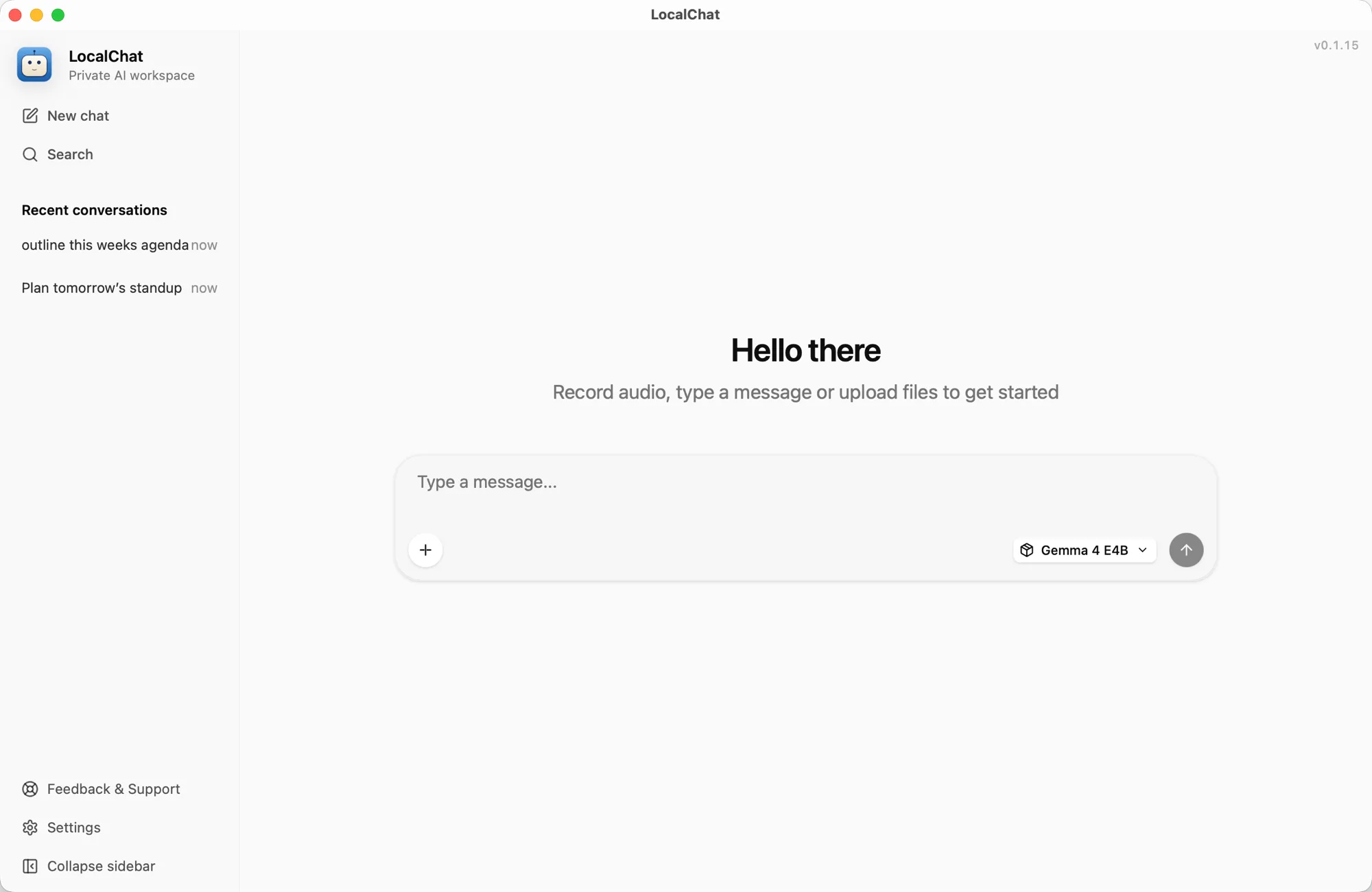
LocalChat is an on-device LLM that runs on your Mac. It reads the whole file. Nothing leaves your laptop.
Why local matters
You work under rules. Privilege. HIPAA. Your licensing board. ChatGPT respects none of them — so your real work never gets near it.
Paste a case file into ChatGPT and it lives on a server you don't own. Their staff can read it. Their next model can train on it. Their lawyers can hand it over.
ChatGPT, Claude, and Gemini weren't built to hold patient information. One pasted note can put you on the wrong side of HIPAA.
Tax returns, payroll exports, P&Ls, and engagement letters carry bank details, SSNs, and private business numbers. Accountants need answers without creating another copy online.
Even with the opt-out checked, your intake forms and session notes still go to their servers. Whatever you upload, assume someone else has a copy.
The ChatGPT alternative that runs on your laptop. Your files, your questions, and the answers stay on the same machine. No server to leak from. No account to log into. Nothing for anyone to hand over.
Built for
Lawyers
Read contracts, depositions, and discovery on your Mac. Ask clause-level questions and get page citations — without uploading a single file.
Therapists
Summarize session notes and intake forms on-device. HIPAA compliance stays simple because the file never leaves your laptop.
Accountants
AI for accountants in busy season: skim tax returns, P&Ls, and engagement letters. Client numbers never touch a cloud account.
Consultants
Brief yourself on client docs, draft proposals, polish decks. Nothing to clear with anyone's IT team.
Writers & researchers
Hand it a whole manuscript or stack of sources. Get outlines, edits, and citations — your unpublished work stays unpublished.
Travellers
Real AI on a plane, in a basement hotel, on patchy hotel Wi-Fi. No login screen between you and the answer.
Model library
Reasoning models, vision models, embeddings for memory, even an image generator — every one tested on Apple Silicon and one click to download. Then it works without an internet connection, ever.

Qwen3.5 9B
VisionAlibaba9B · 5.7 GB

GLM 4.6V Flash
VisionZ.ai~9B · 6.2 GB

DeepSeek R1 (Qwen3 8B)
ReasoningDeepSeek8B · 5 GB
Qwen3-VL 30B A3B
VisionAlibaba30B · 19 GB

Gemma 4 E4B
VisionGoogle DeepMind4B · 5 GB

gpt-oss 20B
ReasoningOpenAI20B · 12 GB
Qwen2.5 14B Instruct
Alibaba14B · 8.5 GB
Granite 4.0 Micro
IBM3B · 2.1 GB

olmOCR 2
OCRAllen AI7B · 5 GB

Z-Image Turbo
Image genTongyi Lab5 GB
Qwen3 Embedding
EmbeddingAlibaba0.6B · 0.6 GB
Gemma 3
Google DeepMind1B · 0.3 GB
Plus any GGUF model on Hugging Face
Paste a URL or drop in a .gguf file — LocalChat handles the rest.
qwen · deepseek · gemma · glm · granite · gpt-oss · olmocr · …
Features
Built for the work you do — reading long files, comparing answers, drafting. With none of the redacting before you can ask a question.
Hand it a 200-page deposition, a full patient chart, a contract, an intake packet. PDFs, markdown, CSVs, spreadsheets — LocalChat reads the whole thing on your Mac, no copy-paste.
There's no LocalChat account to sign up for. Your prompts, files, and answers stay on your laptop — there's nothing for anyone else to look at.
Each project keeps its own files, conversations, and embedded memory. Toggle 'answer only from this project's files' and the model stays inside the case.
Point LocalChat at a vault and it scans the notes, follows links, and turns them into searchable memory. Your second brain becomes the assistant's first source.
Once it's installed, no internet required. Keep working in places where ChatGPT and Claude are blocked or out of reach.
A curated catalog of 25+ on-device models — reasoning, vision, OCR, image gen, embeddings. Swap mid-thread; the conversation stays.
+18Local by design
Sensitive notes, client documents, internal research, and personal drafts stay on your Mac. LocalChat is a private AI assistant without the upload step.
Roadmap
Buy once and keep receiving product updates. The roadmap expands what LocalChat can read and create without changing where your data lives.
Index notes, folders, and project files as private context.
Dictate prompts while LocalChat transcribes on your Mac.
Ask natural-language questions across local message history.
Generate visuals with local diffusion models.
Give local models fresh context without ad-tech tracking.
Connect GitHub, Notion, Slack, and internal tools.
Trusted workflows
"I can review tax packets, engagement letters, and client spreadsheets without pasting private numbers into a cloud chat."
Priya Nair
Accountant
"For contracts and discovery, I need the whole file in context. LocalChat lets me ask questions without uploading privileged material."
Daniel Brooks
Lawyer
"Patient notes and intake PDFs stay on my Mac. That makes summarizing charts useful without creating another data exposure."
Maya Patel
Doctor
"Session notes and treatment plans stay in my workspace. I can draft follow-ups without sending private notes to a server."
Lena Ortiz
Therapist
100% on-device processing
300+ open-source models
No account required
Pricing
One payment for a Mac-native AI workspace. No subscription just to keep talking to your own files.
Launch deal for the first 100 customers
For one Mac and one private AI workspace.
For up to 5 devices at home or across a small team.
For organizations that need deployment and volume terms.
FAQ
Hand it the full file. It reads the whole thing on your Mac. It tells you where each answer came from. Nothing leaves your laptop.